I Created A Dependency Loop In Systemd To See What Breaks
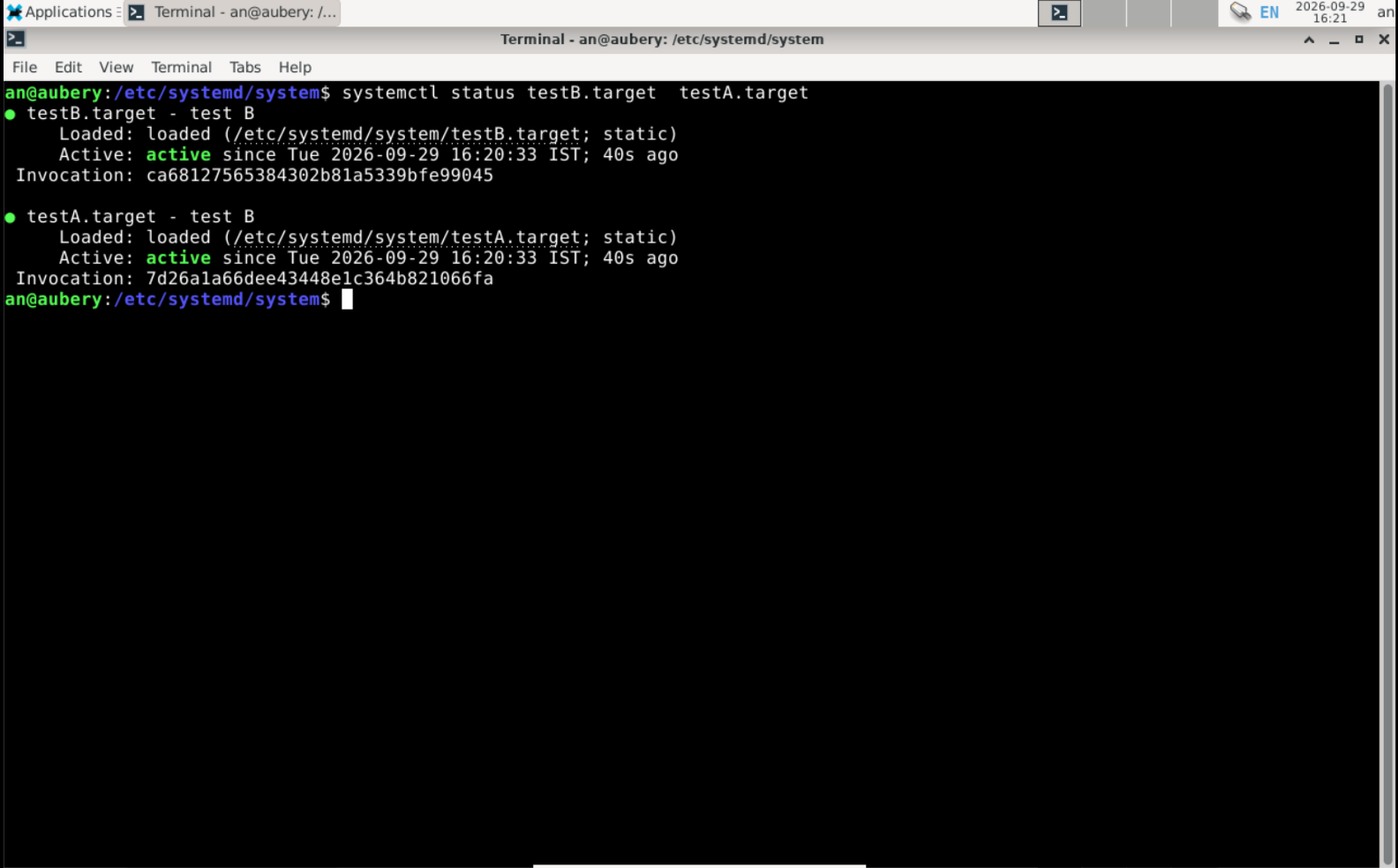
I wanted to know what would happen if I created a looping service on systemd. So I hunted for more info online, and it dawned on me that all the info is about creating a basic systemd unit, but no one talks about what happens if you accidentally create a loop. It's not a problem that doesn't exist in real life; it does, just with different names: the Network Mount Loop, the Crypto/Security Loop, etc. So I thought it would be a nice little experiment: the simplest version, with just two unit files and some diagnostic tools that you can use on your system right now.
Let's dive in!
Creating A Loop: Let's Make Systemd Go Haywire
Using a text editor of your liking, create a unit file testA.target as shown in the figure; make sure it's in the /etc directory (/etc/systemd/system/* It's a convention, however, done so that the distribution doesn't overwrite it on upgrade.
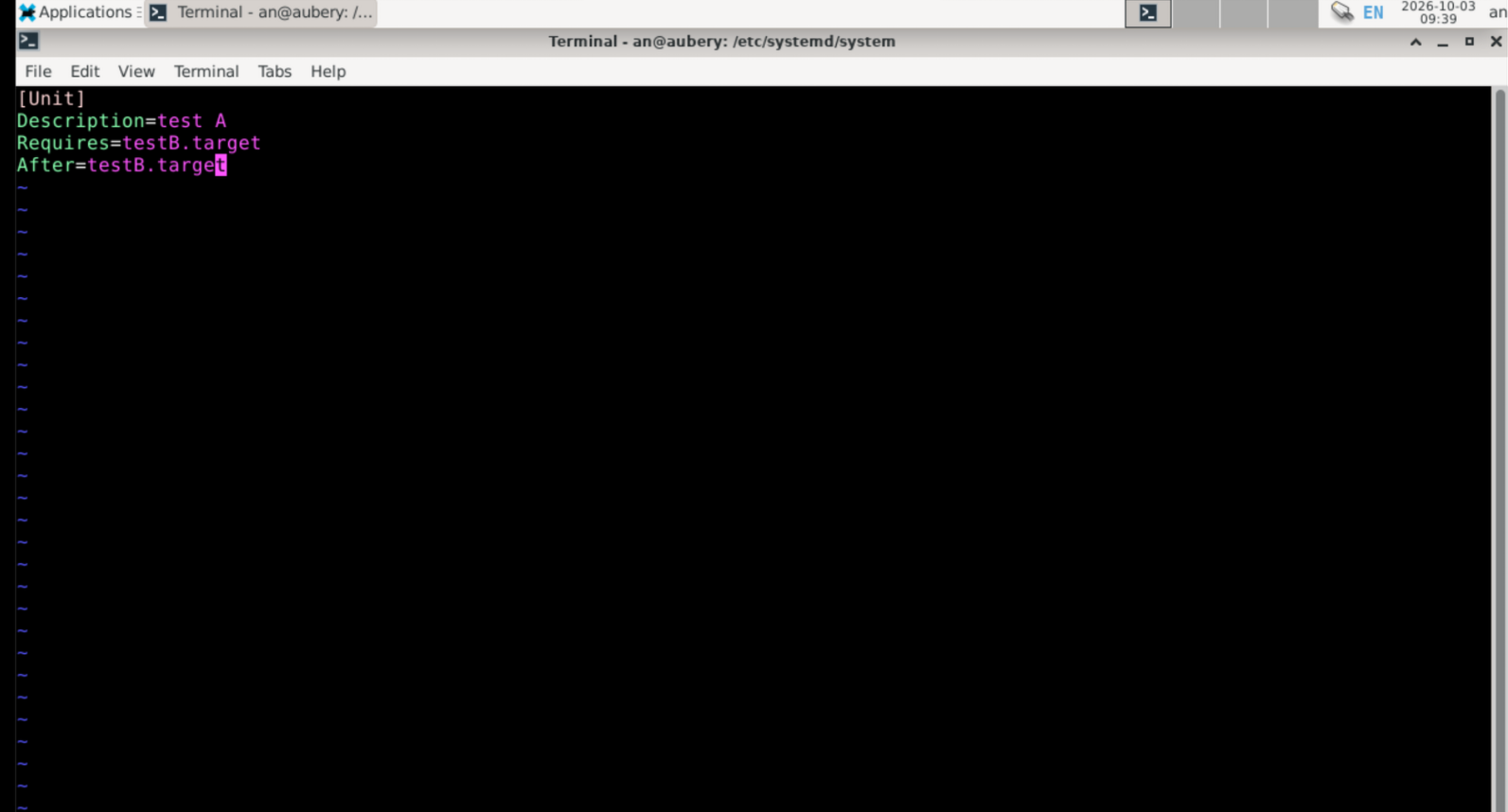
Create another file with testB.target but set the Requires=testA.target and After=testA.target.
Run the command(cmd):sudo systemctl daemon-reloadThis will reload all the daemons, including the new ones.
We are all set,
Now, let's pretend we didn't do anything wrong.
Next, run the cmd sudo systemctl start testB.target and watch it break.
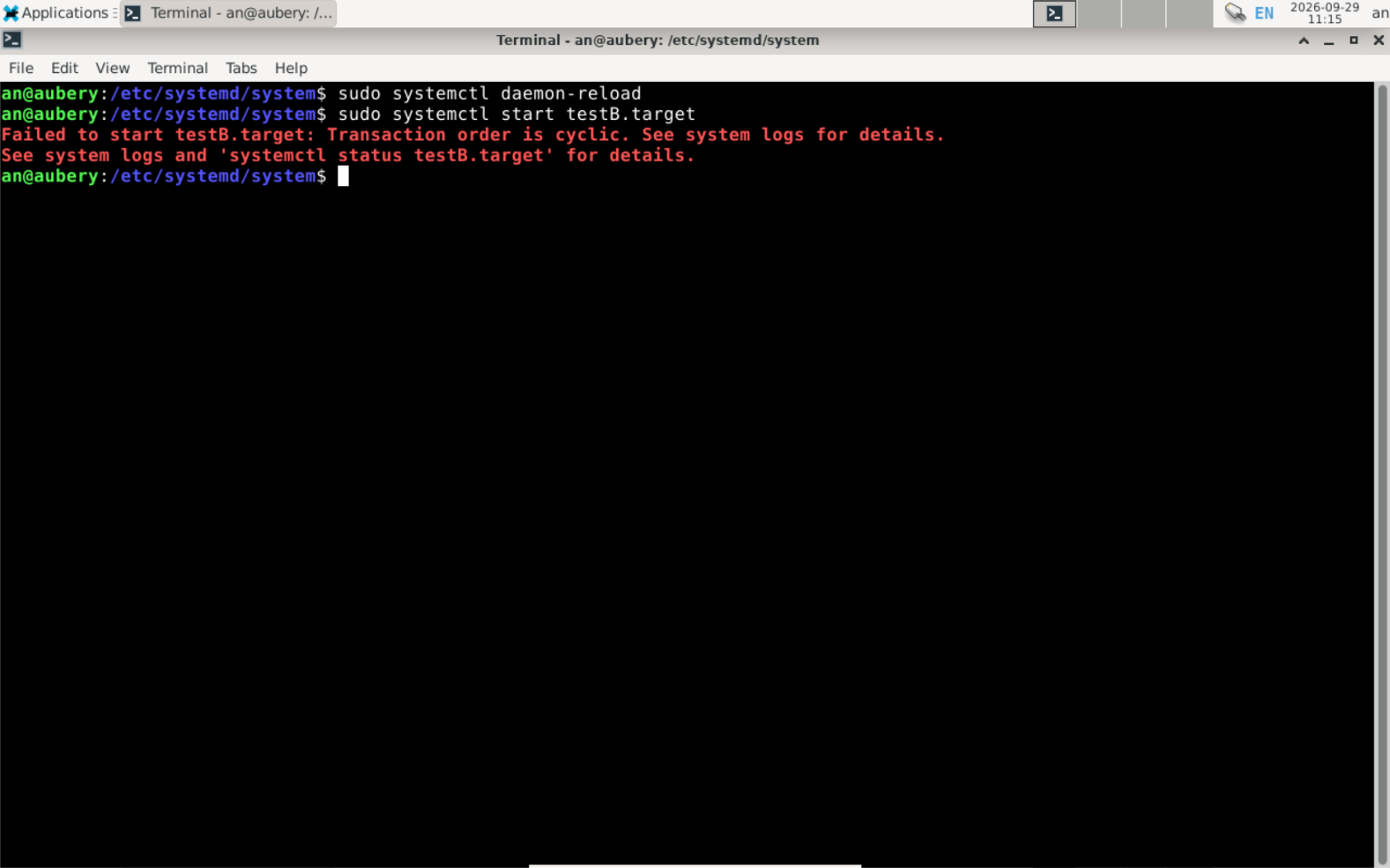
As expected, it "Failed to start the testB.target ", although the red line above states the problem, it doesn't tell you where, what, or why exactly. Why don't we find it out for ourselves?
Let's diagnose the problem.
Tool To Diagnose: Three Ways To Read The Error
From the image, it seems systemd is pointing us toward the system logs.
Why system logs?
Every service/application sends a diagnostic output (aka the problem) message to the syslog service. After receiving the output, the service sends the report to appropriate channels, files, or databases. That is, if anything goes wrong and you don't know why, it's a good idea to check the system logger.
You can view the system logs in the terminal with cmd journalctl. But if you run that cmd, you will be bombarded with logs that you might not want to see. We specifically want to know what went wrong. We can do that by specifying the time, offset, priority, unit, etc. For now, I will usesudo journalctl -u testA.target.
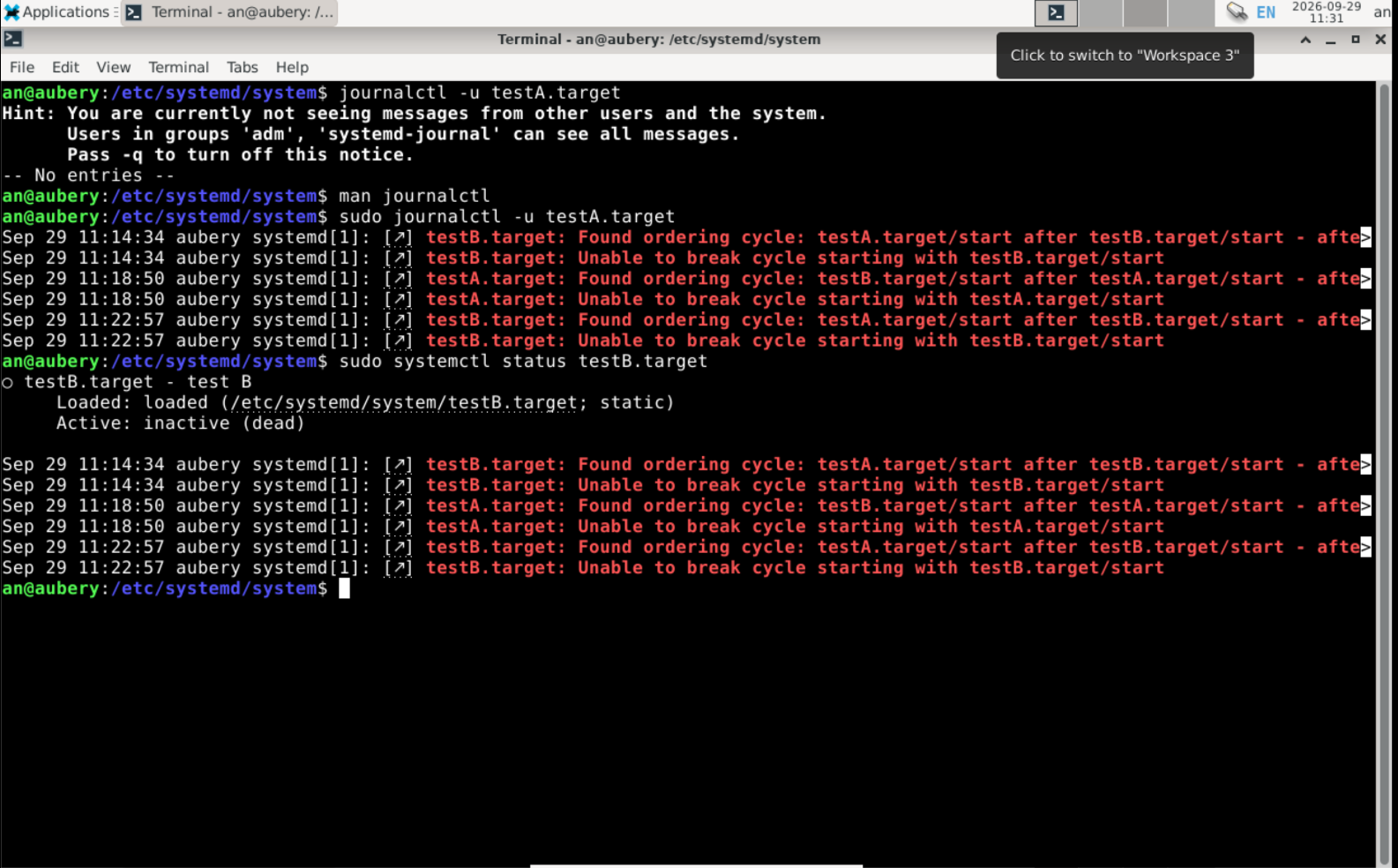
Wouldn't it be cheating cause we knew the name of the file? Let's pretend we don't know the name either, because in real life you wouldn't have only two files but many.
So we will use the cmd sudo journalctl -b 0 | grep -i "cycle" to filter logs from the time of the latest boot (boot offset 0, which means now; -1 for the previous boot) and grep to filter out logs containing the word "cycle".
Why the word "cycle"? Because the red line in the above images (fig 3) mentions "Transaction order is cyclic".
You can also use the cmd sudo systemctl status testB.target given in this case; it looks quite similar to the result of the journalctl cmd.
However, the best way to examine the problem is to use systemd-analyse, which is systemd's own debugger tool. Use this cmd sudo systemd-analyze verify /etc/systemd/system/*.target. The subcommand verify filters out warnings and errors for the file in the /etc/systemd/system/ directory.
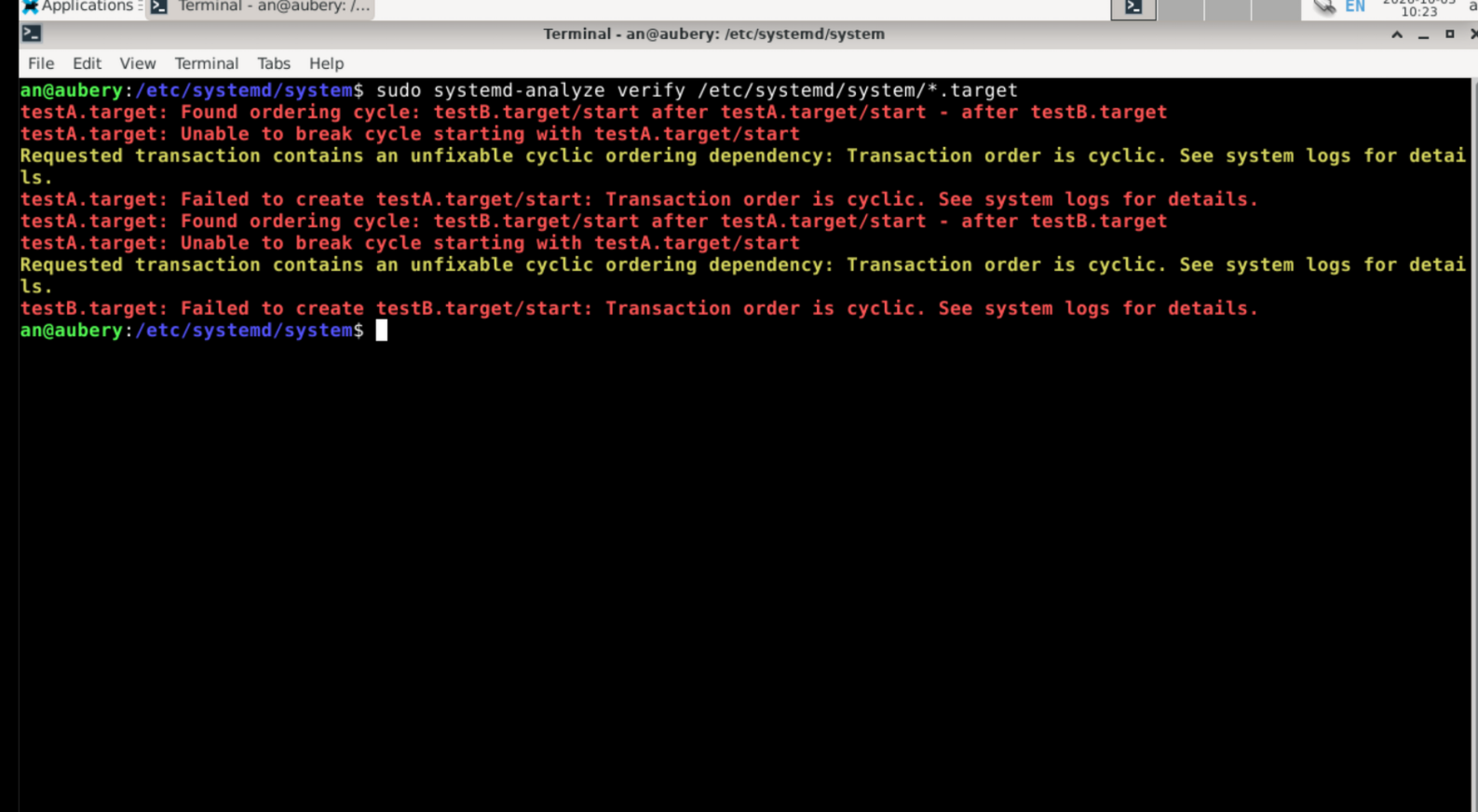
Look at what we have. If you ignore the yellow lines, you can see the result is similar to both cmd journalctl and systemctl. You can also see that all three diagnostic tools point to one thing: "Found ordering cycle: testA.target/ start after testB.target/ start after testA.target ..."; it simply means that the files above created a loop where one only starts after the other; in this case, both are waiting for each other to start.
Let's look for the solution.
How To Fix: The Path Of Least Resistance
There is always more than one solution to solve a problem. We can be haphazard about it and remove both lines Requires=testA.target and After=testA.target from either of the unit files. You can also fix the problem by removing the line Requires=testA(or B).target or After=testA(or B).target from any one of the unit files. We can also achieve this by downgrading the strict Requires= dependency by replacing it with Wants= the Wants tells systemd that it wants x.service to start, but even if it doesn't, it will start the service you are trying to start.
[Read more on SysVinit and Systemd in my previous vlog 👉🏻](My laptop crashed and taught me how the kernel hands off to user-space)
I prefer to choose the path of least resistance. So I removed After=testA(or B).target because, unlike the SysVinit sequencing, they both require each other to start first; thus, sysvinit can't decide and will halt indefinitely. However, with systemd we can run services in parallel, solving the problem by starting both units at the same time.
The Why: How Systemd Saw It Coming
It all comes down to how systemd maps out dependencies. Systemd treats every unit as a node and maps interactions between them using a Directed Acyclic Graph (DAG). Directed: connections are one-way. Acyclic: no loops, preventing infinite waiting. Graph: units connected in a hierarchy you can visualise with Graphviz.
Systemd decides hierarchy on two bases: requires and ordering. Requires=testA.target is a strict dependency testB.target won't start unless testA.target starts first. After=testB.target Controls ordering: this unit starts only after testB.target has started.
Systemd knows the exact dependency chain because of the DAG, which lets it start independent services in parallel. When I created the loop, it caught the cycle immediately, errored, and aborted the whole chain.